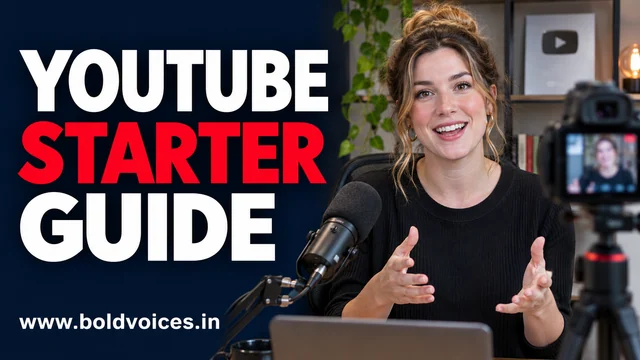
A YouTube video succeeds at two different jobs. First, the title and thumbnail help someone decide whether to watch. Then the video has to deliver what they clicked for. That distinction helps whether you want better recommendations as a viewer or are trying to build a channel from scratch.
Start and customize a channel with YouTube Creators
Find what you came to watch
For a precise answer, search for the outcome, the device or software version, and the problem you are facing. “Export captions in Canva” will usually get you closer than “Canva tutorial.” Use subscriptions to return to creators you chose, and playlists to keep a course or project in order. Before following an old tutorial, check the upload date, scan the description for corrections, and see whether the interface matches yours.
Recommendations reflect signals such as your viewing activity. If a topic keeps returning after one research session, review the relevant watch history and use feedback options where available. Separate a deliberate watch list from your home feed. A queue of three videos about the same skill is easier to finish than a collection of 50 unrelated tutorials.
Plan a video around a question
Write a one-sentence promise before you record. For example, “By the end, you’ll know how to build a grocery budget without a paid app.” Open by showing what the viewer will get. Then explain the steps using one consistent example. A clear screen recording and intelligible audio will carry a practical tutorial further than an elaborate opening sequence.
Choose a format that suits the job. A Short can demonstrate a single action or answer a narrow question. A longer video gives you space to show mistakes and alternatives. A live stream makes sense when questions from viewers change what you cover. Rework the same topic for each format, with enough context for someone who has never seen the other versions.
Make the title, thumbnail and video agree
Use the title to name the result and the thumbnail to show the object, change or situation the viewer will recognise. Check both at phone size. Put the main point near the beginning of the video and use captions so someone can follow with the sound off. Review automatic captions for names, figures and Indian-language phrases before relying on them.
Read analytics as a sequence
In YouTube Studio, impressions show qualifying thumbnail displays, while click-through rate measures how often those displays led to a view. Audience retention shows how viewing changes over the course of the video. Compare uploads of similar length and format. A sharp drop during a long introduction suggests you should inspect that moment. If viewers stay after clicking but few click, review the packaging and the audience the video reached before changing the script.
Build on work you can use
Owning a copy of a song, match clip or film scene gives you access to watch or listen. Reusing it in an upload is a separate rights question. Use original recordings or assets licensed for your intended use, and retain evidence of permission. Review the current Partner Program rules in Studio before building a schedule around ad revenue. For your first three uploads, pick one audience, answer three related questions and use the analytics to decide what deserves a follow-up.
Build a four-video launch plan
Start with a narrow audience you can describe in one sentence. A channel for college students learning a first spreadsheet has a clearer brief than a channel about productivity. For the first upload, solve a common problem such as making a weekly spending sheet. In the second, show how to fix a broken formula in that same sheet. The third can explain how to turn the sheet into a chart, and the fourth can answer a recurring question from viewers. Four related uploads give people a clear next video and give you comparable material to review.
Before recording, test each step in a fresh copy of the example. Screen recordings often capture a different menu when the creator is already signed in or has installed an extension. Tell viewers what they need before you begin. For a phone tutorial, make menu labels large enough to read in a portrait preview, and leave the cursor or tap indicator on screen long enough for someone to follow. If a step takes a minute in real life, you can cut the wait and say what to expect while it runs.
Build a repeatable edit and review process
Check the recording through headphones and again through ordinary phone speakers. Pay attention to the first sentence, the loudness of background music and any steps that are hard to make out. Review captions for names, amounts and technical terms. A caption that changes “fifteen” to “fifty” can turn an otherwise useful walkthrough into a misleading one. Add chapters when the video covers separate tasks people may revisit. In the description, describe the example and note any assumptions that would change the steps.
Pick one improvement after each upload. If viewers drop off during a long introduction, open the next video by showing the result. If you receive the same question from several people, check where in the video you first introduced the term. Write down the original thumbnail and title before making changes so you can reconstruct the history later. Keep impressions, views and retention in context. A video shared with a small group that already wants the answer may have a different pattern from a video shown widely to new viewers.
Make the channel easier to maintain
Save source recordings, captions and thumbnail versions in a dated folder. Keep a short record of music, images and footage and the terms under which you can use each asset. Build in time to answer comments that point out an error. When a correction is small, make it easy to find in the description or a pinned comment. If the steps have changed substantially, a new version with the current process may make more sense. Tell people which version applies so a search result from a previous year does not lead them through the wrong steps.
As a viewer, apply a similar habit to tutorials you rely on. Pause after a major step and try it yourself before moving on. Keep the examples that match your tools and learning goals in a small playlist. If two creators reach different conclusions, compare the test conditions, date and software versions before deciding which answer applies. A well organised watch list makes it easier to come back to useful material when you need it.
Like what you read? Help BoldVoices.in keep independent journalism going.
Manage Consent
To provide the best experiences, we use technologies like cookies to store and/or access device information. Consenting to these technologies will allow us to process data such as browsing behavior or unique IDs on this site. Not consenting or withdrawing consent, may adversely affect certain features and functions.
Functional
Always active
The technical storage or access is strictly necessary for the legitimate purpose of enabling the use of a specific service explicitly requested by the subscriber or user, or for the sole purpose of carrying out the transmission of a communication over an electronic communications network.
Preferences
The technical storage or access is necessary for the legitimate purpose of storing preferences that are not requested by the subscriber or user.
Statistics
The technical storage or access that is used exclusively for statistical purposes.The technical storage or access that is used exclusively for anonymous statistical purposes. Without a subpoena, voluntary compliance on the part of your Internet Service Provider, or additional records from a third party, information stored or retrieved for this purpose alone cannot usually be used to identify you.
Marketing
The technical storage or access is required to create user profiles to send advertising, or to track the user on a website or across several websites for similar marketing purposes.