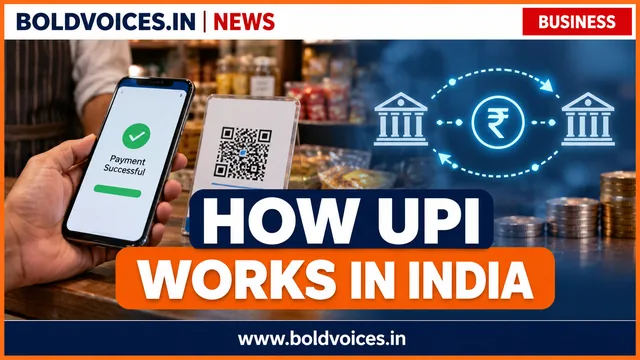
From a roadside tea stall to an online shopping checkout, the Unified Payments Interface (UPI) has made sending and receiving money through a bank account remarkably simple. A scan, a few taps and an authorised payment can move money between participating bank accounts in seconds. But what actually happens after a customer scans a QR code?
UPI is an instant payment system developed by the National Payments Corporation of India (NPCI), an organisation operating within India’s regulated payment ecosystem. It connects participating banks and payment applications through a common platform. UPI is not a bank account or a wallet by itself: it is an interface that allows users to initiate payments from eligible linked accounts and other supported instruments.
What is UPI?
UPI stands for Unified Payments Interface. It enables person-to-person transfers and merchant payments without requiring the sender to enter the recipient’s full bank account number and IFSC code every time. A user can pay through a UPI ID, mobile-linked payment option, QR code or other supported payment flow.
A UPI ID is also known as a Virtual Payment Address (VPA). It works like a payment address that helps route a transaction to the intended account. The exact format depends on the bank or payment app.
Who makes a UPI payment work?
The customer: The person initiating or receiving the payment.
The payment app: A bank app or supported third-party application through which the customer starts the transaction.
The payer’s bank: The bank holding the account from which money is to be debited.
The beneficiary’s bank: The bank that receives and credits the money to the recipient’s account.
NPCI’s UPI platform: The common switching and routing infrastructure that helps participating institutions process the payment.
The merchant and acquiring bank: For shop or online payments, the merchant’s acquiring arrangement helps accept and route the payment.
How a UPI payment works, step by step
1. Registration and bank-account linking
The user installs a participating UPI application and completes mobile-number verification. The mobile number used by the app generally needs to match the number registered with the bank. The app then identifies eligible accounts and allows the user to select one, subject to the bank and app’s supported services.
2. A UPI ID and PIN are set up
The user creates or receives a UPI ID and sets a UPI PIN for authorising debit transactions. The PIN is a confidential authentication credential. It must never be shared with another person, including someone claiming to be a bank, app or customer-support representative.
3. The payer chooses a recipient or scans a QR code
The payer can enter the recipient’s UPI ID, choose a supported contact, use account details where available, or scan a merchant’s QR code. The payment screen should display the recipient or merchant information and the amount before authorisation. Users should check these details carefully rather than assuming every QR code is genuine.
4. The payment is authenticated
For a normal bank-account debit, the payer reviews the details and enters the UPI PIN in the authorised app flow. This confirms the user’s instruction to debit the selected account. Scanning a QR code alone does not complete a payment; the user must review and approve the transaction.
5. The payment request is routed through the UPI network
The payment application sends the authenticated request through its payment service provider and participating bank systems to the UPI platform. The payer’s bank checks the request and available balance, then processes the debit if the transaction is authorised and permitted. The beneficiary bank receives the corresponding credit instruction.
6. Both sides receive a transaction status
The app displays a status such as successful, failed or pending. A successful transaction normally results in a debit from the payer and a credit to the recipient. Banks and network systems exchange status information so that the two sides can reconcile the transaction. If the status is pending, users should check the transaction history and bank statement before trying again, to avoid making a duplicate payment.
How QR-code payments work at shops
A merchant QR code contains payment information such as the merchant’s UPI address and, in some cases, a preset amount or transaction reference. When a customer scans it, the payment app reads the details and prepares a payment request. The customer should confirm the merchant name and amount on the phone before entering the PIN. A QR code is a convenient way to identify where money should go; it is not proof that a shop or payment request is trustworthy.
Is UPI available around the clock?
UPI is designed for instant payments and is generally available 24 hours a day, including weekends and bank holidays. However, a payment can still be delayed or declined because of a bank outage, network problem, incorrect details, insufficient balance, risk controls or a limit set by the bank or payment provider.
UPI transaction limits: why one number does not fit every payment
UPI limits can vary by transaction category, merchant classification, bank, app and applicable NPCI rules. Ordinary person-to-person payments and certain verified merchant or special-purpose transactions may have different ceilings. Banks and payment providers can also apply lower internal limits or daily controls. Before making a high-value payment, check the limit displayed by the bank or app and the current rules for that transaction category.
What should you do if a UPI payment fails or remains pending?
Open the payment app’s transaction history and note the transaction reference or UPI ID.
Check the bank account statement to see whether the amount was debited.
Do not immediately repeat a payment that is marked pending until you have checked its status.
Use the complaint or help facility inside the payment app or contact the bank through its verified customer-support channel.
Keep screenshots, dates, amounts and reference numbers until the matter is resolved.
UPI safety: practical rules every user should remember
Never share your UPI PIN. A bank or genuine support agent does not need you to reveal it.
You do not enter a PIN to receive money. Be suspicious if a caller asks you to enter your PIN to accept a refund, prize or incoming payment.
Check the name and amount. Verify the recipient shown in the app before authorising a debit.
Do not approve unknown collect requests. A request asking you to pay is not the same as money being sent to you.
Use official apps and updates. Avoid installing screen-sharing or remote-access applications at the request of strangers.
Report suspicious activity quickly. Contact your bank through its verified channel and use the appropriate official cybercrime reporting route when fraud is suspected.
Does UPI move money through a digital wallet?
In a standard bank-account UPI payment, money is debited from the payer’s linked bank account and credited to the recipient’s account; the payment app provides the interface. Some supported prepaid payment instruments can also be linked to UPI under applicable rules, but that does not mean every UPI payment is a wallet transaction. The funding source shown in the app matters.
Why UPI matters to India’s digital economy
UPI has reduced friction in everyday payments for consumers, small shops, service providers and online businesses. It allows a small merchant to accept digital payments through a QR code without building a complicated checkout system. It also gives customers a quick way to pay bills, transfer money and complete purchases. The system’s usefulness depends on reliable bank connectivity, strong security practices, clear dispute handling and continued trust among users.
The bottom line
UPI makes digital payments feel simple, but several institutions and security checks work behind each transaction. The payment app starts the request, the banks process the debit and credit, and the UPI network helps route the instruction. Users get the best from the system when they verify the recipient, protect their PIN and check transaction status before paying again.
This guide is for general information and digital-payment awareness. Transaction limits, app features and bank procedures can change; users should check the latest instructions from their bank and payment provider.
Like what you read? Help BoldVoices.in keep independent journalism going.
Manage Consent
To provide the best experiences, we use technologies like cookies to store and/or access device information. Consenting to these technologies will allow us to process data such as browsing behavior or unique IDs on this site. Not consenting or withdrawing consent, may adversely affect certain features and functions.
Functional
Always active
The technical storage or access is strictly necessary for the legitimate purpose of enabling the use of a specific service explicitly requested by the subscriber or user, or for the sole purpose of carrying out the transmission of a communication over an electronic communications network.
Preferences
The technical storage or access is necessary for the legitimate purpose of storing preferences that are not requested by the subscriber or user.
Statistics
The technical storage or access that is used exclusively for statistical purposes.The technical storage or access that is used exclusively for anonymous statistical purposes. Without a subpoena, voluntary compliance on the part of your Internet Service Provider, or additional records from a third party, information stored or retrieved for this purpose alone cannot usually be used to identify you.
Marketing
The technical storage or access is required to create user profiles to send advertising, or to track the user on a website or across several websites for similar marketing purposes.